1. Click the link to download and install
Note: If it prompts "dangerous software" and prevents installation, please Google/Baidu the solution based on your phone brand.
2. Add Nodes
- Copy the subscription link
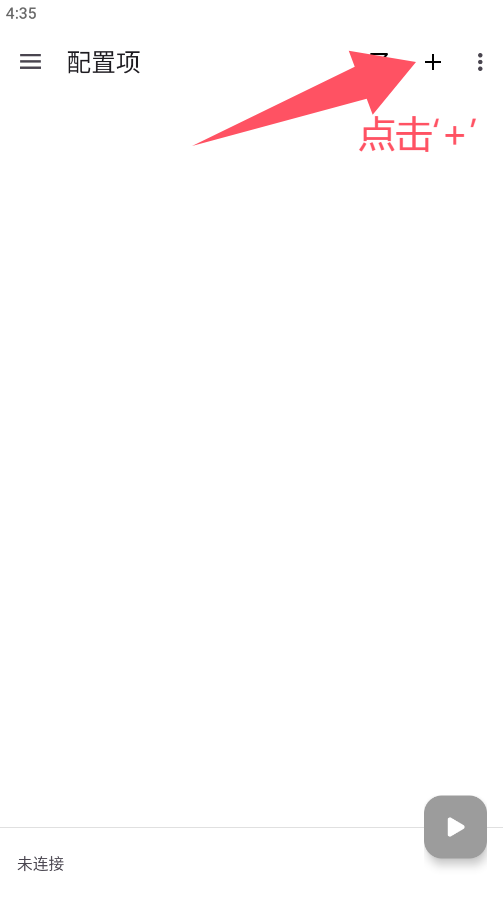
- Open the installed app, click the '+' at the top right
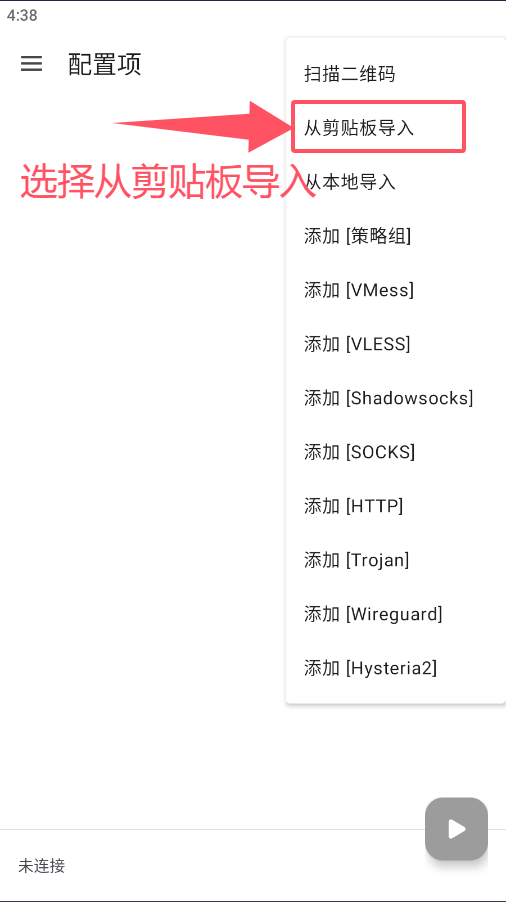
- Click 'Import from Clipboard'
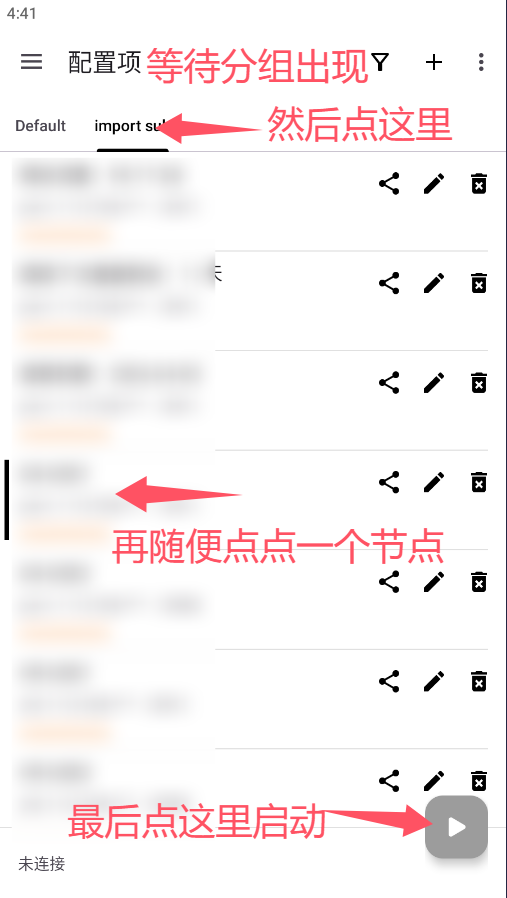
- Select the 'import' group
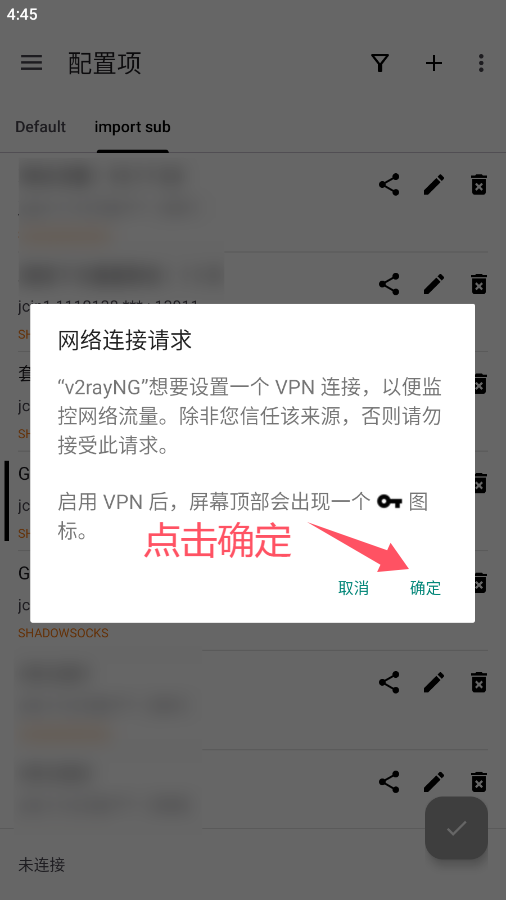
- Click the bottom-right button to connect, and confirm
Notes
1. How to check if nodes are working: Click the three dots at the top right - Test Real Delay for Current Group. A number appearing next to a node means it's available; -1ms means unavailable.
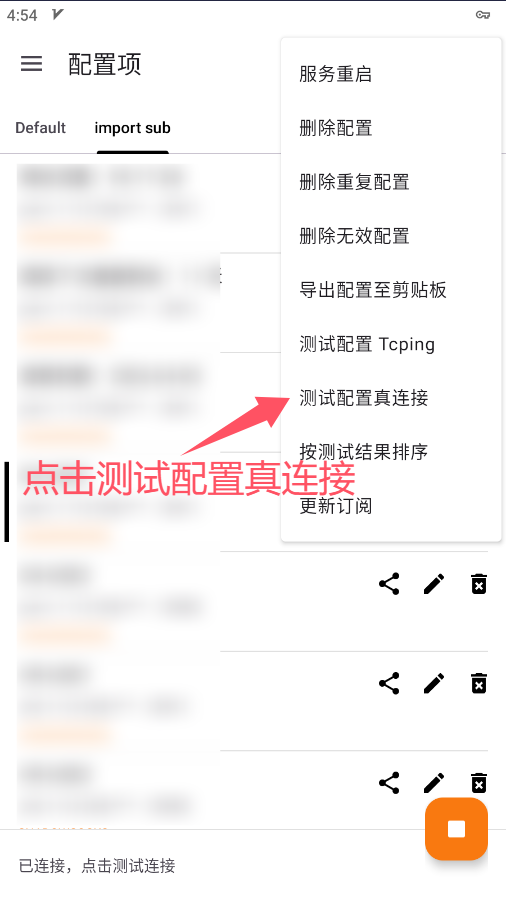
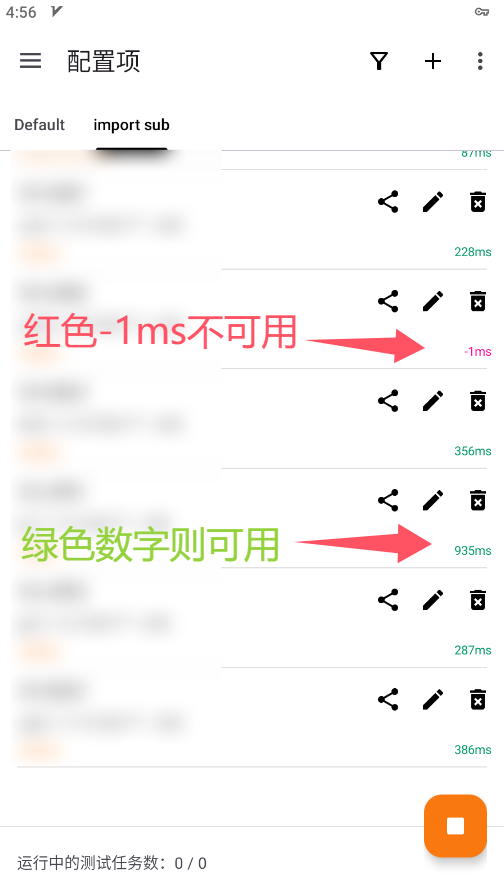
- 2. If all nodes are unavailable, try updating the subscription (make sure connection is turned off). Sometimes it takes a few tries.
- 3. Speed depends on your local network. If it's slow, please check your local connection first.
- 4. Node naming: The prefix is the region, the suffix is ISP optimization. (e.g. 1.5X means it counts as 1.5x traffic).
- Copy the subscription link
- Open the installed app, click the '+' at the top right
- Click 'Import from Clipboard'
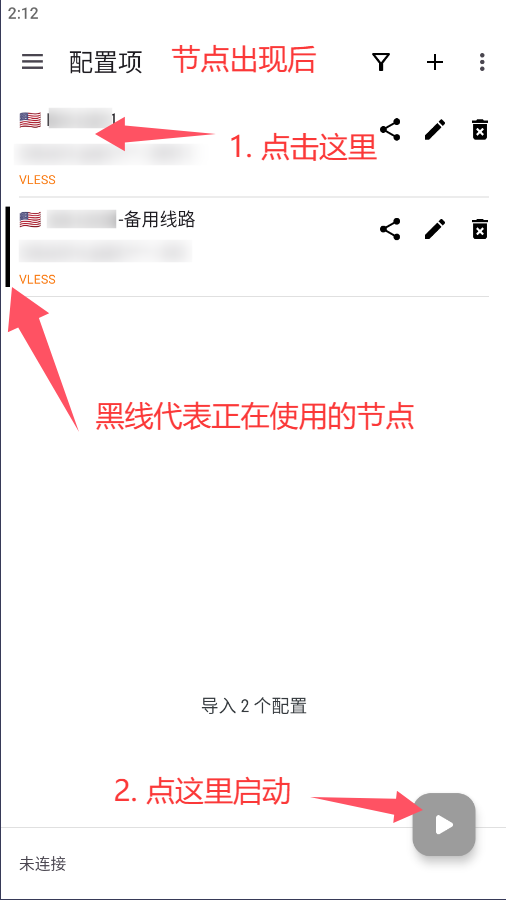
- Select the first node
- Click the bottom-right button to connect, and confirm
Notes
1. How to check if nodes are working: Click the three dots at the top right - Test Real Delay for Current Group. A number appearing next to a node means it's available; -1ms means unavailable.
- 2. Each dedicated IP is assigned two routes as a backup in case of occasional failures. Nodes with the same name use the same exit IP, so you can switch between them with confidence.
- 3. Speed depends on your local network. If it's slow, please check your local connection first.
1. Click the link to download and install
Note: If it prompts "dangerous software" and prevents installation, please Google/Baidu the solution based on your phone brand.
2. Start Clash Meta For Android Connection
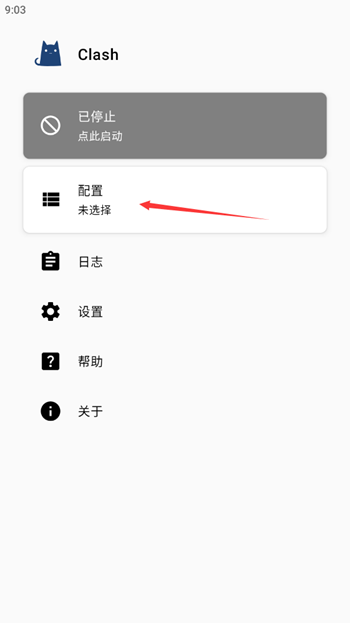
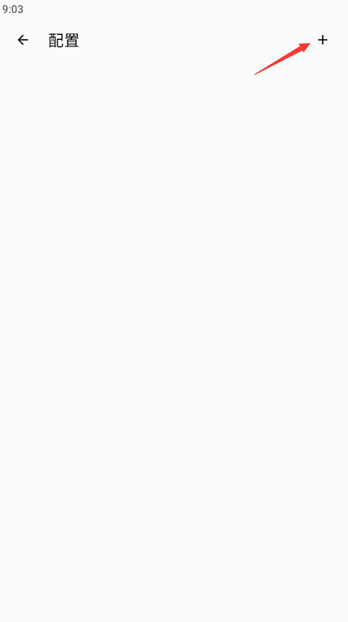
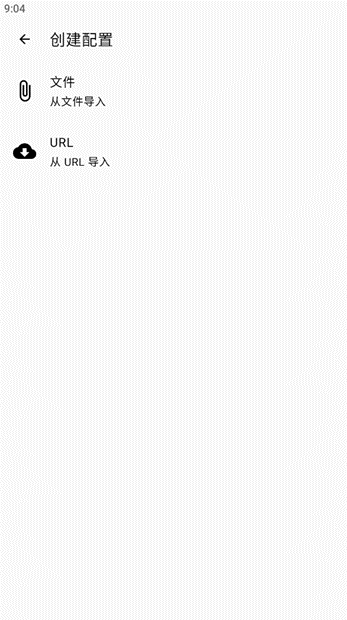
- Click Profiles - '+' at the top right - URL.
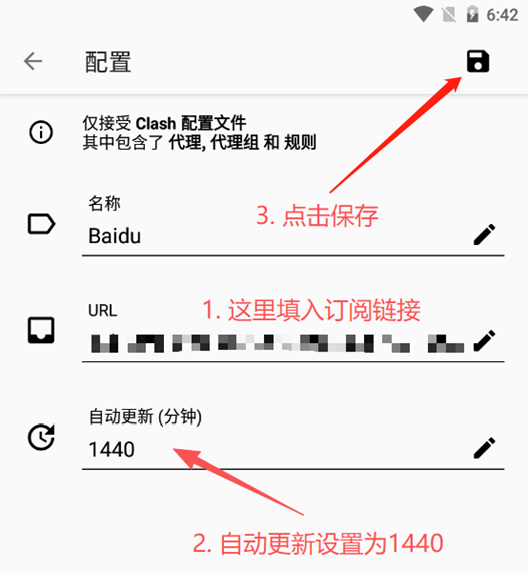
- Name it anything, paste the subscription link in URL, set auto-update to 1440, and save.
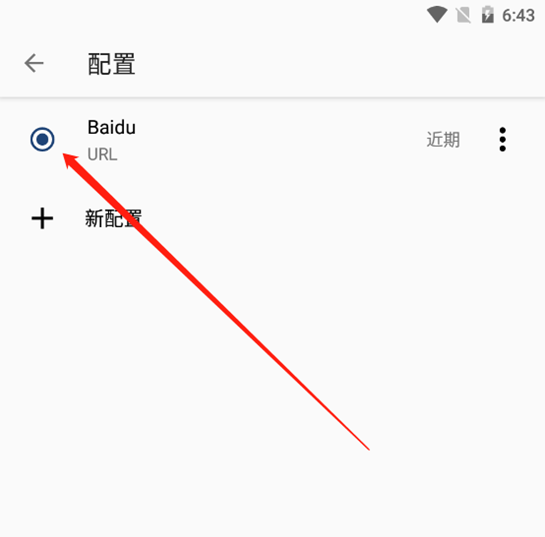
- Go to Profiles, select your profile, then return to Home.
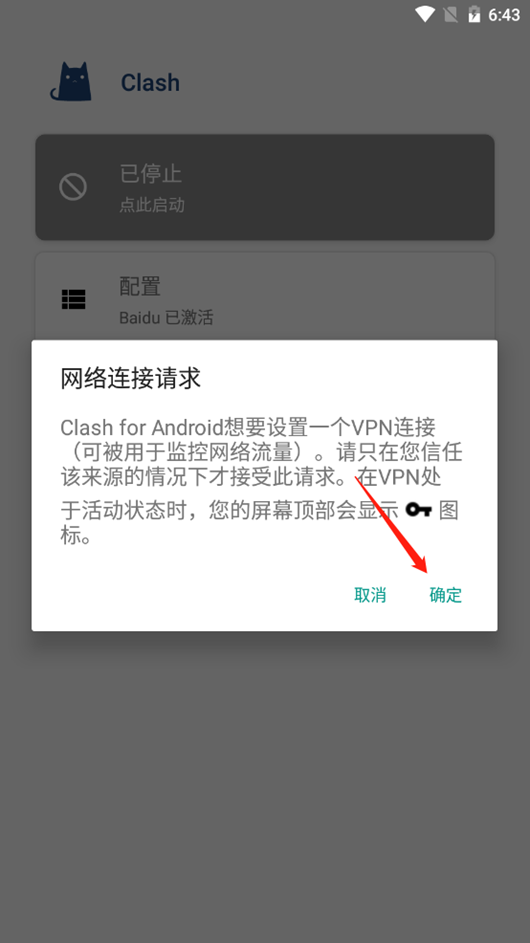
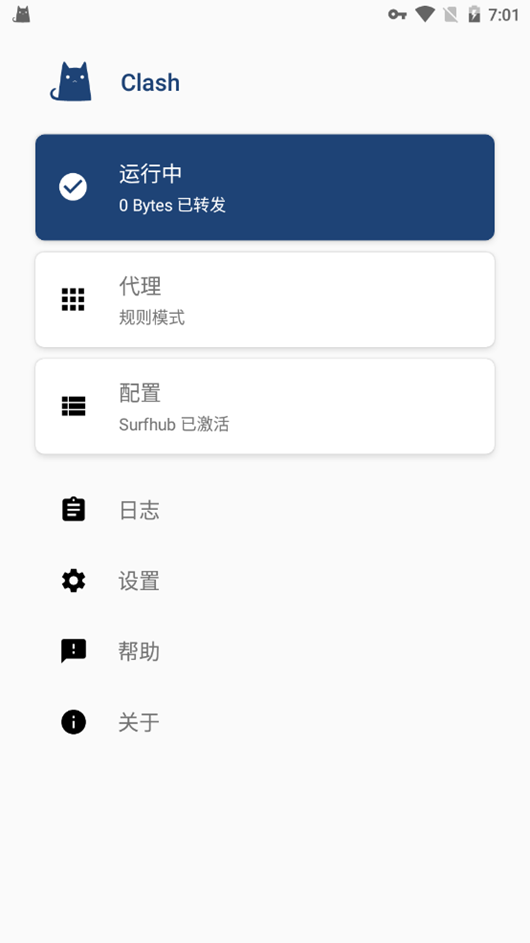
- Click 'Tap to Start'. On first use, it prompts to allow VPN connection, click OK.
- Check if there is a VPN (key) icon in your status bar!
- Try opening Google in a browser to see if it works.
Notes
- 1. How to check nodes: Click the Proxy section on Home, click the lightning icon. A number means it's working; -1ms means unavailable.
- 2. If all nodes are unavailable, try updating the subscription (make sure connection is turned off). Sometimes it takes a few tries.
- 3. Speed depends on your local network. If it's slow, please check your local connection first.
- 4. Node naming: The prefix is the region, the suffix is ISP optimization.